![Sabrent USB 3.1 to SATA Dual Bay Hard Drive Docking Station for 2.5 or 3.5in HDD, SSD. Hard Drive Duplicator/Cloner Function [Includes Both Type C and Type A Cables, Supports 10TB+ Drives] (DS-UTC2)](https://m.media-amazon.com/images/I/71il-6cDb7L._AC_SL3840_.jpg)



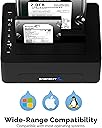
🚀 Double your storage power, double your productivity!
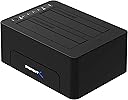
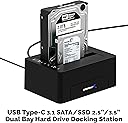
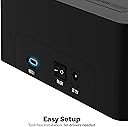
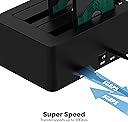
The Sabrent DS-UTC2 is a dual bay USB 3.1 Gen 2 docking station supporting 2.5" and 3.5" SATA HDDs and SSDs up to 20TB. It offers blazing transfer speeds up to 10Gbps, plug-and-play convenience with both USB Type-C and Type-A cables, and a built-in hard drive duplicator for easy cloning without a computer. Compatible with multiple USB standards and perfect for professionals managing large data workflows.


| ASIN | B07CSG4XM4 |
| Best Sellers Rank | #152 in Hard Drive Docking Stations |
| Brand | SABRENT |
| Color | Black |
| Compatible Devices | Laptop |
| Connectivity Technology | usb |
| Customer Reviews | 4.3 out of 5 stars 374 Reviews |
| Data Transfer Rate | 10 Gigabits Per Second |
| Enclosure Material | Dual Bay |
| Hard Disk Form Factor | 3.5 Inches |
| Hardware Interface | USB |
| Hardware Platform | Laptop |
| Item Dimensions L x W x H | 6"L x 2.3"W x 4"H |
| Item Weight | 25 Ounces |
| Manufacturer | SABRENT |
| Material | Dual Bay |
| Memory Storage Capacity | 10 TB |
| Mfr Part Number | DS-UTC2 |
| Model Number | DS-UTC2 |
| Product Dimensions | 6"L x 2.3"W x 4"H |
| Supported Devices Quantity | 2 |
| UPC | 819921016430 |
| Warranty Description | 1 year limited. 2 years with manufacturer registration. |
L**S
Bien.
Excelente.
R**.
Combined with a 8T Ironwolf Drive -- got surprised
The only reason that I gave an overall rating of four... is because I was shocked that the USB draw on my brand new iMac 27" Workstation USB ports... was so high that as soon as I plugged the Docking Station in... macOS Big Sur told me it was shutting down my USB ports because of high current draw. This actually shocked me because the Sabrent Dock has it's OWN power supply... so I also have a Powered 10 Port USB Hub... and when I plugged the 10 port hub into the iMac and then plugged the Sabrent into the Hub... everyone became happy. Transferred the data from 6 Toshiba SSD drives and a 2Tb external into the Seagate IronWolf 8Tb drive... fast and went like clockwork... Have not attempted to use clone function (yet) because I backup the 8Tb to a QNAP NAS
B**Y
This docking station with 3.1 Gen 2 works for gaming.
I can assure you this works perfectly when using it for gaming. I was tired of the HDDs adding unnecessary heat inside my computer's case so I wanted to see if this would work. People said intensive games will not work well. I bought it anyway to see for myself. Well I can confirm that it works exactly as it would if your hard drive were in your computer. I tried these games and it was perfect. Guild Wars 2, Shadow of The Tomb Raider, Jedi The Fallen Order, Lumote, Code Vein, Star Wars The Old Republic, Anthem, and I just finished a match in Battlefront II. All ran just like when the drive was in the tower. Just make sure your motherboard has a USB 3.1 "GEN2" port. UPDATE: 11 months later, and it is still running perfectly. I had doubts, but I am very very happy with this thing. It never gives problems. Well outside Windows 10 believing that both slots have the same addy. However it only shows it's the same but it doesn't effect send and receive from the drives. I've researched the issue, and it turns out most every dual or more docking station does this. People just never notice because it doesn't actually interfere with performance. Update at 19 months. I finally had a drive start to die on me. Bought another HDD and tried to clone it. No matter how long I hold the button as instructed, neither light turns blue, nor do the drives start spinning and cloning. I love this drive, it works great for what I need. It allows me to play all my games through it at the same speed as if the drives were in my computer, but the cloning feature didn't work the moment I needed it. Disappointment? yes, but it still it's no big deal really as all I need to do is just drag and drop the files from one drive to another (old school) takes an additional 2 seconds to do. I'd still buy another if this one were to die on me.
A**R
Cloning 4 - 2 TB SSD's = 9.25 hours
Nice product and works as described. "Set it, and forget it." as Ron Popeil would say. On automatic and in stand alone mode, it took 5.34 hours to copy/clone first 2 TB Bootable drive which was 2/3rds full. Next 3 drives for backup on 2 TB SSD's went faster, partially because of less data transfer and completed project in 9.25 hours. READ the manual, then READ it again. Yep, it as simple as pressing a button. I didn't believe it at first. This will make a great backup system for my primary. I'm ordering a second for my office mate too. I am interested to see how much faster backup will be using the 3.1 USB connection.
F**T
Reasonably fast, hot-pluggable TBD, no SMART support on macOS
Meets the general specs... At least on macOS (13.1) hot plugging a 2nd disks does not seem to work. EZ fix: * (connect to a Mac) * (power down the dock) * insert both "disks" * power up the dock * (open disk utility or...) * wait for both "disks" to show up -- this may take longer than you would expect... Pro: * Reasonably fast within given USB-3.1 / SATA-3 constraints ** typically observed: *** RAID0 with HDD ~300MBytes/s (assuming a fast HDD) * Supports OS RAID0/1 and JBOD (macOS) * Both USB-C and USB-C USB-A cables with reasonable length are included Con: * Slow to detect / be recognized by the OS (macOS) * Hot-plug seems not be not really supported (macOS) * Does not SMART Control (disk health monitoring) (macOS) Other: Not sure if I would have any "faith" the "standalone clone disk" feature on anything but a FAT file system. I would not even dare to clone a modern Journaling File System such as Apple File System (APFS) (macOS) and use CarbonCopyCloner instead -- doubly so on APFS. Would be great if SABRENT would EXPLICITLY specify the supported file systems for the "standalone clone disk" actually DOES support [2023-01-10 update] Does not support SMART Control (disk health monitoring) (macOS) [2023-01-15 update] Does support SMART Control (disk health monitoring) on FreeBSD
W**M
It Actually Is USB 3.1 Gen2!
This was purchased Dec 21, 2018 and the seller was Store4PC. I purchased this despite reading the reviews and asking questions about whether or not this was really a Gen2 device. First, it looks to me as though there are multiple versions with the same model number (DS-UTC2) so you won't know what you're going to receive until it's in your hands. There are reviews here showing the printed circuit board that is the heart of this device, Mine is considerably different, so I've attached a close-up photo showing the circuit board revision information in mine. If you compare it to earlier reviews, you'll see that the revision numbers all start with K3082 followed by the primary chip model and the version number. Although they are all ASMedia chips, mine uses the ASM1352R plus the 1543, and shows version 4.2. Also, the circuit on mine is obviously more complex and has more components. I went to the ASMedia website, and both the 1352R and the 1543 are USB 3.1 Gen2 chips so assuming the rest of this circuit is properly designed and produced it definitely is capable of 10G USB speeds. HOWEVER, there is more to the story. To achieve these speeds on a Windows PC, you should know that only Windows 10 is designed to utilize Gen2 hardware- Windows 7 is not. Then you must find a certified Gen2 cable that actually IS certified (and note that the certification specs appear to limit the length to something like 33 inches) and correctly install the certified drivers for all the hardware involved. All of this to say that it's not a 'given' that at this point in the USB 3.1 Gen2 roll-out you will ever come close to the stated speeds. Bottom line: This device IS Gen2-capable!
R**L
Good dock and speeds. One gripe.
This is the only dock I could find at the time of purchase which supported USB 3.1 Gen 2 and 2 drives at a reasonable price (45USD). This dock with 2 HDDs is permanently connected to my iMac 2017 using a USB-C Thunderbolt 3 connection. The USB cable is a tad short but that is to be expected lately. The speed test (see attached image) was done using a standard Samsung 5TB HDD @ 7200rpm. It works as advertised and is a great dock overall. After using it for over a month I have only one gripe: If there is a power outage and the computer and dock restart, the dock is not detected automatically. I need to power cycle the dock with the computer on before it is detected. My other USB drives are detected just fine. The same goes for when I connect the dock to a switched off computer. The dock is not detected once I start the computer. I need to power cycle the dock while the comp is running before it is detected. This is an issue only because I use one of the drives in the dock for automatic backups. If this does not matter to you, just buy it. It's a great dock.
J**B
USB 3.1 HDD/SSD Dock built with speed and reliability
I have previously used Sabrent's USB 2.0 and USB 3.0 hard drive docking solutions. When I needed to upgrade to the newest USB 3.1 standard, I sought out Sabrent for my hard drive docking solution needs, as the brand reliability and build quality is outstanding. My over 10 year old USB 2.0 device still functions perfectly today the same as it did when I purchased it, even after using well over 80 drives in the device. The interface is fast, the build quality is what I have come to expect from Sabrent products, it is durable, reliable, and certainly not an eye sore or something gimmicky and flashy. It just works, every time. I have dropped previous devices on the ground accidentally or tipped them over on the desk when an older hard drive weighs more than a newer hard drive and I have never sustained any damaged to the docking solution or to the drives. Sabrent keeps the hard drives safe with electrical protections both on the power adapter side and the USB power side. I have experienced an increase in read/write speeds over the USB 3.0 device, but you will only notice that when using a solid state drive. If you are looking for a new or upgraded hard drive docking solution to either hot swap drives, or for technical support, or you simply want to keep an external hot-swappable drive out long term, (say for a game console), this multi-function device will do well by you. In summary, if you are in need of a new hard drive dock, purchase this USB 3.1 version, especially if you will be using the dock with solid state drives. If you are a current owner of a USB 3.0 dock, and will only use mechanical hard drives you won't really see any read/write speed improvements as the drives are just not that fast themselves. If you have a USB 2.0 dock, then purchase the USB 3.1 dock, you will be amazed at the increased sustained random/average read and write speeds.
S**D
Marche très bien ! USB-C est vraiment le format roi !
Utilisé pour brancher des gros hdd a une nvidia SHIELD, ça marche ! Les HDD sont reconnus direct. Grâce à ça ma shield sert de serveur Plex 4K même quand elle est en veille ! Si il y a un petit point négatif c’est les patins dessous qui sont un peu trop rigide et qui transmettent les vibrations (et donc le bruit) au meuble sur lequel on le pose... des patins plus souples auraient supprimé le problème.
K**A
Easy to install and flawless functionality
I bought this as I needed an upgrade from my current drive caddie. I plugged it in and added a couple of drives and it just worked from the get go. I'm using this on my windows PC and no issues found yet. I even had the opportunity to use the HD duplicator feature on a relative's Apple. She's wanted to go from a plated drive to an SSD. So I did some research and found that as long as the drives match or the destination is greater in size than the source drive it should work. I disconnected the usb from the caddie (after formatting the SSD using the mac, to the appropriate partition table) Pressed and held the button til the lights flashed and 90 mins later I re installed the drive in the macbook and you couldn't tell the difference with the exception that boot times and read/write times were exceedingly increased. Everything ran much faster. The caddie had worked as intended but I'm still pleasantly surprised at the efficiency and simplicity with which it achieved it.
M**A
Very good quality
Very useful
S**S
Spoke Too Soon
The return window closed two weeks ago and wouldn't you know it, one of the bays has lost power. I guess I'm lucky to still have one bay working. I was kind of surprised that it's failing already, I've had luck with Sabrent products in the past. When it worked, it was pretty fast for an external drive.
A**E
TOP HDD Dockingstation
Ich habe mir Zeitgelassen auf Herz und Nieren die Dockingstation zu testen, Sie erkennt ohne Murren bis 10 TB Festplatten an. Die "einklemmung" für ne SSD oder ne 2,5 Zoll HDD etwas wacklig Ansonsten entspricht sie der Produktbeschreibung
Trustpilot
3 days ago
2 weeks ago