Buy anything from 5,000+ international stores. One checkout price. No surprise fees. Join 2M+ shoppers on Desertcart.
Desertcart purchases this item on your behalf and handles shipping, customs, and support to Cook Islands.
๐ก๏ธ Protect your view, power your day โ glare-free and scratch-proof!
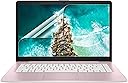
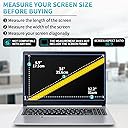
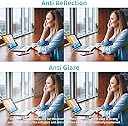
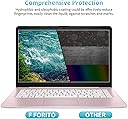
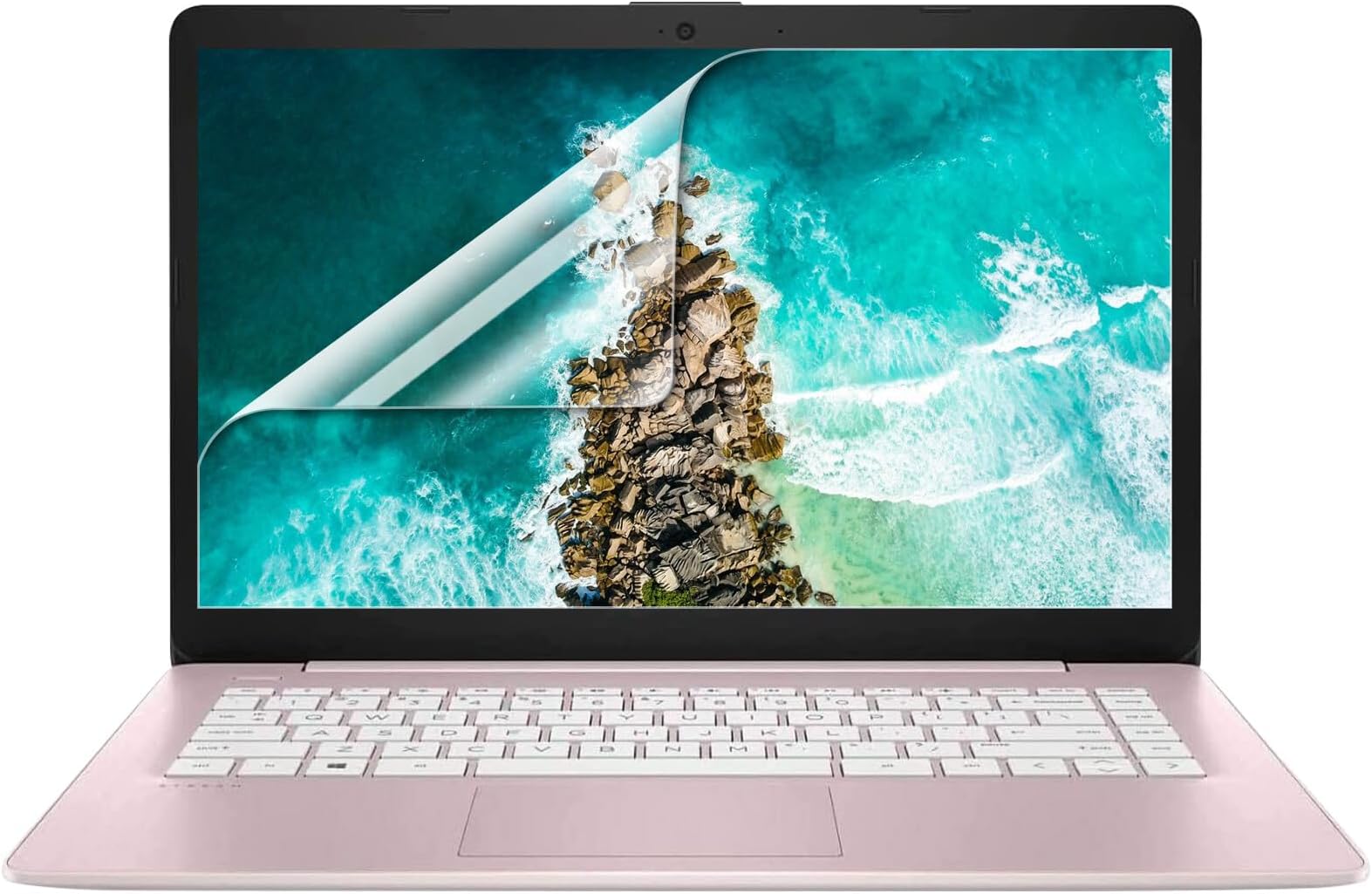
The F FORITO 2 Pack 14-inch Anti Glare Matte Laptop Screen Protectors are precision-cut for 16:9 aspect ratio laptops, offering a durable 6H hardness surface that reduces glare and eye strain while preserving vibrant screen clarity. Featuring fingerprint resistance and full touchscreen compatibility, these protectors combine sleek matte aesthetics with robust defense, perfect for professionals seeking digital wellness and device longevity.


| ASIN | B01LEC2WLW |
| Best Sellers Rank | #78 in Computer Screen Protectors |
| Brand | F FORITO |
| Brand Name | F FORITO |
| Clarity | 95 |
| Color | 14" -Anti Glare/Transparent |
| Compatible Devices | 14 Inch Computer with 16:9 Aspect Ratio |
| Compatible Phone Models | 14 Inch Computer with 16:9 Aspect Ratio |
| Customer Package Type | FFP |
| Customer Reviews | 4.1 out of 5 stars 2,445 Reviews |
| Finish Type | Matte |
| Included Components | Screen Protector ร 2, Cleaning Kit ร 1 |
| Item Dimensions L x W | 5"L x 0.1"W |
| Item Hardness | 6H |
| Item Weight | 0.19 Pounds |
| Manufacturer | F FORITO |
| Material | Polyethylene Terephthalate |
| Model Name | FM-SPU14-AG |
| Model Number | FM-SPU14-AG |
| Number of Items | 2 |
| Part Number | FM-SPU14-AG |
| Product Dimensions | 5"L x 0.1"W |
| Screen Size | 14 Inches |
| Screen Surface Description | Matte |
| Special Features | Anti Glare |
| Unit Count | 2 Count |
| Water Resistance Level | Water Repellent |
Z**A
A very nice screen protector
I recently received a new laptop through my employer, to use to work part time from home. We live in a magic time of technological joy. In order to protect the investment that my company has made, I purchased a keyboard cover, a vinyl skin, and these screen protectors. Overkill? Probably. But with cats, a kiddo, and regular travel between the office and home, it's a cheaper option than paying for repairs on a machine that I can't afford to replace. A flat, hard screen protector with the protective film on both sides is, in my opinion, one of the easiest to install. As long as you do the installation properly, life is good. If you mess it up, you have a second sheet all ready to go. The most important thing to remember is TAKE YOUR TIME! Clean the screen completely. Think you have it clean? Wipe it down again, either with an anti-static wipe or a microfiber cloth. Go ahead and hit it with some canned air, too, just to make sure that all the dust and cat hair is removed. Peel the smallest amount of the back film that you can, and tuck the screen protector in place on one edge of your screen. Slowly peel the back film away while using the squeegie card to smooth out bubbles as you go. Do not remove the last of the film until you've got the entire screen protector down. Once you get it down and smooth and bubble free, you can take off the top protective film. This fit perfectly on the screen of my 14" laptop. You can't see it at all, except way up at the very corner where it is a curved corner instead of square. You really have to look to see it at all. The edges stuck down perfectly after the first day, but did require some fussing at first. Is it anti-glare? I'm not sure what that means. It is a slightly soft appearance, so maybe? It doesn't make the screen look fuzzy, but it doesn't look like smooth glass either. It doesn't affect colour quality or my ability to read what I've got to in order to do my job. My computer is not touch-screen, so I can't speak for texture or how it affects touch screen functionality.
A**R
Pleased with my purchase
I just put on this screen protector, and I'm happy with it. I tried a different seller's glass screen protector on my laptop for about two weeks and it was just so insanely reflective that it was actually difficult to use my laptop in any room that wasn't pitch black. This one gives a slightly hazy look at low brightness setting, but I can't see my reflection at all unless the screen is completely off which I greatly prefer over the super reflectiveness of other protectors. The "anti-fingerprint" actually seems to work really well and I haven't noticed any issues with touch sensitivity yet. I'll certainly update this if anything changes as I use it more. I put this on a Lenovo Yoga 920. Got it on without any bubbles and no noticeable dust spots. The protector is basically the exact same size as the screen, so if you aren't careful with the application, you may leave part of the screen exposed. Wasn't a problem for me, but just something to watch out for.
J**Y
Nice screen protector. Perfectionists beware.
I'm a perfectionist, so installing this was basically the worst day of my life. I got this for a Lenovo T440, to keep the keyboard from putting wear marks on the screen. The product itself is good, but I was expecting too much from it. The Bad: Unless you're in a clean room, it's impossible to apply this without bubbles. This wasn't really the fault of the product itself, but more a limitation to what's physically possible. It's easy to install a bubble free screen protector on a small rigid screen. But on a large display like this, the size of the protector moving around is enough to kick up dust no matter what you do. You basically need a clean room. My particular laptop doesn't have a strong glass front on the display, so forcing the bubbles out without damaging the LCD panel was very difficult. Because I'm a perfectionist, I finally eliminated all bubbles and dust on the 3rd attempt... and damaged the LCD panel. That part is my fault. I got a decent result on the second try, but I HAD to go for perfection. Lenovos are easy to work on, so I just replaced the panel and moved on. The GOOD: OK. So aside from my ridiculous expectation that the protector go on as flawlessly as a rigid, tempered glass, phone screen protector, I think this is a great product. The matte finish looks indistinguishable from the matte finish on an OEM display panel. It came with everything you'd need to apply it, and I'm sure it would protect your screen from scuffs, scratches, and the keyboard wear marks just fine. So, if you don't mind a few tiny specks or bubbles at the edges or in the corners, this is a great screen protector. If I was to do this over again, I would get screen cleaner and use the wet application method. This method worked best for me, but by the time I figured this out, the multiple tries had taken their toll on the LCD display. If applied carefully, I think this method would give the best results.
J**N
Didn't fit the Zenbook 14" Space Edition
The laptop screen protector didn't fit the Zenbook 14" Space Edition. The height of the screen protector is only 7" while the laptop screen height is 8". The website description that fits Asus laptops is not accurate. Since I didn't apply the screen protector, I couldn't rate it. For all I know this may be the best screen protector ever. I'm grateful for Amazon.com return policy.
D**.
Take you time remove step 1 1/2 inch at a time.
The easiest way to make sure that you do not get the minimum of dust is to follow these steps: 1. Turn off all ceiling fans and close all windows to reduce the dust particle movement (this includes people moving about the room). 2. Clean the screen of your computer thoroughly with an alcohol wipe commonly used with prescription glasses to remove all dust and oils. 3. Position the provided guides at the top and bottom of the left or right side of the screen, which ever side you decide to start with is fine. 4. Before you begin to peel the first side off, make sure to make one last check for any and all dust particles. 5. Now you are ready to apply the screen. DO NOT remove the first side entirely, this will increase the amount of dust particles as it will capture dust particles in the air. Peel the first side back about 1/2 an inch and pinch both side with your fingers. Line up the endge of the screen cover at the edge of the projected screen as parallel as you can. The screen cover will begin to stick slightly. Try not to pick it up and replace too many times. Try to get it right the first time. 6. Now that you have it lined up and half of an inch is attached, you will slowly peel the first screen from underneath an inch or so at a time while using the squeegee to remove most of the air bubbles, you wont be able to get them all, but get as much as you can. Do this until step 1 ic complete and the screen protector is completely on. 7. Now use the squeegee to rub out more of the air you couldn't get to in the previous step. You still will not get them all, but you will be closer. 8. Start to remove side 2 really slow from one corner and use the squeegee to keep the protector attached to the computer. 9. Once side two is removed, you will now use the squeegee to press out any remaining air bubbles. And, presto, you have the screen protector attached. I used this for two home computer HP 360x 14 inchers, and a work computer that is also 14 inches. The screens were originally like mirrors, now they are very easy to see and no more neck-bending and side ways looking to see images. Touch screen was not effected with either fingers nor stylus. They work great and if they ever need to be replaced, they come off easily with no residue. I highly recommend getting the 2 pack just in case you mess up. Hope this helps everyone have a better experience.
A**.
Impossible
The kit comes with 2 sheets so you have a 2nd one if you need it which I liked. I expected it wouldnโt be easy to put it onto my lab top with air bubbles and everything but from the beginning it was made to have problems. They give you a cloth to wipe off anything on the screen , then tent tiny little sticker to get any dust of haired off but itโs so small it takes so long itโs virtually impossible to get a 14โ lab top completely done before more hairs or fiber or whatever is on it not to mention the smoother they give you to slide the protector over your screen is a hairy fiber soft like credit card type thing and because it was impossibly difficult to get the air bubbles out you have to repeat these steps over and over. It would have been better with a bigger sticker to get rid of โdustโ and a tool to put the protector on that didnโt undo all the steps you did before that. So I gave up and just left the air bubbles in, as far as a i glare goes there is still the same glare as it had before, but I purchased mine with the intent to have a protective shield so my actual screen didnโt get scratched
S**.
Fits Screen Well and Easy to Install ...
The screen protector was easy to install and covers the screen well. I do like the anti--glare feature. I wasn't sure that I would, but I'm glad I got that style. As far as product goes, I give it 5 stars. The shipping was a little different. Although the shields are in a cover that is about the thickness of a poster board, it would have been nice had there been harder cardboard around the product. . The packaging was a bubble envelope and the package handlers (USPS) were not gentle and there was a small crease in the shield when I took it out of the package. I was able to get it mostly smooth to where it's not noticeable on the screen. But I think it may have caused an issue with the corners as they will not stay stuck down. It is only a small portion of both corners on the end of the screen protector, and I can live with it ... just thought I'd pass it along for those who package the materials.
R**O
Works great!
I have been working from home and like to sit outside periodically. I could not see my screen well due to glare with the sun. I read reviews on this product and thought I would try. I love it! I can sit outside without moving back and forth to try and see what was on my screen. Now I don't have to do that. The anti glare screen cover is great! Easy to apply. No bubbles. I actually laid my laptop screen on the table and applied like that instead of trying to install upright. Great product, fast delivery would recommend again!
M**D
ู ู ุชุงุฒ
ุฌูุฏุฉ ุนุงููุฉ ๐๐ป
S**L
Very good product
It is a very good product. Looks like plastic but I think it is made of plastic and glass both. Perfectly fits my 14โ inch laptop screen. And it truly is anti glare and anti scratch. Iโm very happy with it ๐
A**S
GREAT ANTI GLARE SCREEN PROTECTORS
I NEEDED SOME ANTI GLARE SCTREEN PROTECTORS FOR MY LAPTOP AND THESE ARE PERFECT. HAD IT FITTED FOR ME AS I KNOW IT CAN BE QUITE TRICKY. HIGHLY RECOMMEND.
ู**ุน
ุฒูู ุจูู 14 ุงูุด UM425IA UX425JA UX425EA UM425UA
different Size ู ู ู ูุงุณุจ ููุดุงุดุฉ ู ูุงุณ 14ุงูุด Not For 14inc
A**E
Good product
Easy to use
Trustpilot
1 week ago
2 weeks ago