💧 Cool tech, hot style — keep your rig frosty and your setup lit!
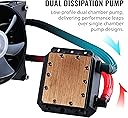
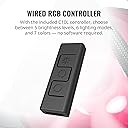
The Cooler Master MasterLiquid LC120E RGB is a sleek, efficient 120mm all-in-one liquid CPU cooler featuring a dual chamber pump for enhanced performance and quieter operation. It delivers 66.7 CFM airflow at a low noise level of 31.5 dB, with reinforced sleeved tubing to prevent kinks. Compatible with a wide range of Intel and AMD sockets, it includes customizable RGB lighting controlled via an integrated controller, making it a perfect blend of performance, reliability, and style for modern PC builds.


| ASIN | B07CRG8X69 |
| Air Flow Capacity | 66.7 Cubic Feet Per Minute |
| Best Sellers Rank | #544 in Water Cooling Systems |
| Brand | Cooler Master |
| Brand Name | Cooler Master |
| Compatible Devices | Desktop |
| Cooling Method | Water |
| Customer Reviews | 4.3 out of 5 stars 879 Reviews |
| Global Trade Identification Number | 00884102045578 |
| Included Components | 1 Liquid Cooler |
| Item Type Name | Cooler Master MasterLiquid LC120E RGB All-in-one CPU Liquid Cooler with Dual Chamber Pump Latest INTEL/AMD Support |
| Item Weight | 1.95 Pounds |
| Manufacturer | Cooler Master USA, Inc.-FOB CNSZX-6 |
| Material Type | fep |
| Maximum Rotational Speed | 1800 RPM |
| Model | MLA-D12M-A18PC-R1 |
| Noise Level | 32 Decibels |
| Part Number | MLA-D12M-A18PC-R1 |
| Power Connector Type | 4-Pin |
| UPC | 884102045578 |
| Unit Count | 1.0 Count |
| Voltage | 12 Volts |
| Warranty Description | 2 Year |
| Wattage | 80 |
S**A
Solid, works great, 18C temp drop over stock fan
I work out of my home office with no A/C, and generallyaround 70f/20c. I run an AMD Ryzen with 16 threads and with the stock fan and all 16 threads running gets up to 85C! Yikes! Yes, it's max temp is rated at 95c, but I just fundamentally feel like you are damaging the long term usability of a chip if you let it run that hot for long. I have another CoolerMaster liquid cooler on my 5 year PC (i7) and it's been rock solid (I've vaccumed dust out of the fins, that's it over the 5 years). I think brand loyalty means something, so I got this unit. I immediately see a 15c+ drop in max temperature when running my work load test cases that uses all 16 threads in my processor (and AMD Ryzen 3900). With this unit installed the max temp I see is 68c on the same work load. It's not cold. I wish it where closer to 50c, but running at 3900mhz, with fast memories, on all 16 threads - yea - that's gonna be a pizza oven unless you cool it down. Still 68 is better than 85c+. I expect this cooling will allow me to work in my home office up to 85f or so. I'm not a gamer, and I don't care about the colored leds on the fans and pump (yea I know - "get off my lawn"), but I do need performance for actually work sometimes 24 hours a day for days in a row (the computer that is, not necessarily me ;) So a good liquid cooler I think will make your system more reliable. At Idle, it's runs about 36c, down from 42c with the stock fan. Basically unless your PC is in a heavily A/Ced work space, the stock fan (or probably *any* fan) isn't going to work as well as a functioning liquid cooler unit. In retrospect I wish I had gotten a taller case for my PC so I could have the double fan/radiator units. I may still do that.
M**A
It just works.
The cooler came well packaged, safe as mothers love.. unboxed it was clear, that it would easily fit on the processors, and AMD socket that I had in mind.. AM-4.. I attached the fan to the radiator, with the 4 screws provided.. the fan can be mounted to blow through, or pull through.. I elected for the blow through mount. My motherboard, an ASUS, is black, so vision is difficult without extra light, but once I lit it up, I could see to install the pump on the socket.. Thermal paste was included with the cooler, and it was applied in an even layer across the CPU.. The pump clips fit onto the socket, and the cams rotated to provide a secure and solid mount.. That's the easy part.. Now for the more difficult part.. mounting the radiator.. MY case and ATX tower is about 12 years old.. it's seen at least 2 previous motherboards and granted, it's technology is a little "past the cutting edge".. But it's a good quality case and provides plenty of room.. However, it's not made for this kind of equipment.. I searched for a way to mount the radiator inside but it's just too large.. Not to be defeated, I obtained a few zip ties from the garage stash, and lined up the holes with the Hard drive mounting rack in the case.. two zips later the radiator was mounted.. it's not pretty, but it's functional.. With my old stock cooler I was getting warnings during gaming, that my CPU temp was 65* C.. too hot.. occasionally I got warnings that the memory was at 60*.. That's why I ordered this cooler.. Now, the radiator "protrudes" from the side of the case, but I was not concerned with the appearance.. I wanted a cooler that worked, and that's what I got.. Now the RGB LED's are nice.. They light up the space under my work surface, and change colors.. But the important thing is, that after a long gaming session, running intense graphics I checked the bios, and the CPU temp was 39* C.. That's a significant drop in temp... The price was right, and it works.. Installation was easy enough, I suppose if I had a case that was made for such a device installation would have even been easier.. I'm happy. It just works.
A**S
Excellent AIO for budget water cooler
I have now bought two LC120E AIO water coolers and they have been working great. One was for a Ryzen 2700x the other for a 3400G both have been keeping the processors at idle at about 50c and 70 at load I don't play a lot of games but I do a lot of video encoding which keeps things cooled and ton of virtual machine testing. The only difficulty I had was trying to install this into a Cooler Master Elite 110. The case is small and when looking at it you wonder if you can install the LC120E which it does fit. The fan will need to go on the outside while the radiator will fit in the inside with room. The one added desire I would recommend is use a SFX power supply as this will enhance your room if you want to add a push pull config on the radiator. The internal fan with an SFX will give you enough room for an additional 120MM fan or in my case a used a low profile one. With the RGB features I had everything plug directly into my Strix X470 ASUS ITX motherboard using the Aura light configuration app. The other noted issue is that when running load on the system the LC120E's Fan is loud.
B**N
Good AIO budget option, with reservations
I've been looking to get into AIOs since I built my pc a few months ago, but didn't want to go all out for a high end one and can only comfortably fit a 120mm rad in my current setup. My performance has been great so far with a Ryzen 2600. ~30c on idle and no higher than 60c under 90% load. Let's be honest tho, at this price I was only looking for a side grade to one of the many great air coolers on the market (Hyper 212 for example). This AIO has quite a few things going for it: Nice anesthetics, good performance, and quiter operation than air coolers. The manual included isn't great but installation was easy enough. 2 major issues come to mind with this AIO for me. One is the insane rattling of the included cooler master fan that sounds like a jet plane taking off (source: I live beside an airport). I managed to fix this by fiddling with my custom fan curves in Asus bios. Your mileage may vary, but you could always throw a fan of your choice on this. To me, that can sort of ruin the look but try messing with fan curves in your bios or afterburner etc. The second issue I have is sort of a nitpick but the rgb options for this thing suck. No Asus aura sync, which is disappointing but worse yet, this product isn't even supported by Cooler Master's Own software. The only way to control the lighting is with the included controller. I could live with this were it not for a serious lack of options or even basic presets. I could be missing something, but I think CM just technically provided Rgb whilst dodging any features that are standard with even budget Rgb products. Tons of cheap fan kits on here include Aura support or a good external controller with solid options. Cooler master can do better, and I (perhaps stupidly) expected better. Overall, I think this cooler is great for a starter AIO but the lighting options leave a lot to be desired and may require fiddling to resolve the fan rattle issue.
K**N
Great for the price!! Nice looking
It's not the ultra fanciest, but I think it looks very nice. The fan included is fast, bright and silent. Controller and splitter included are nice extras. Controller is a bit tricky but it does work well and is small and discreet. As said by other reviews mine came the bag a little wet... I was a bit worried... But I cleaned all pieces, installed and it seems to be working without a problem so far. No leaks at all. Installation is a bit tricky specially because I installed two fans on it (push pull) had to use spare parts I had. But not that hard. But for begginers it could be tricky. At that price range I believe it's unbeatable quality. Im loyal to this brand and feel a happy customer once again!
S**5
good for the price
nice entry level cooler specially at the price it's discounted in right now keeps 20c idle temps for my i5 8600k and 30c overclocked idle under heavy load stress it does get up to 80c at times although that's on overclock for non oc this cooler keeps your cpu at very low temps. pros - affordable, silent fans although this may vary, not very time consuming install, many otions for different brackets cons - rgb is not synced and no response from included rgb controller not sure if this is a problem on my end as all rgb is connected via the extendors edit : tried removing this cooler to change the psu on this pc as the cables were tangling with each other due to poor cable management on my part due to short psu cables, well anyways tried removing one of the tighteners and it seems it became stuck as I cannot remove it due to it twisting with the screw its tightened too so now im stuck with this on my motherboard and not sure how to go about removing it in the future when I need too...lowering to 3 stars after this as its as the brackets are made of very cheap material.
D**R
Near silent CPU (Ryzen 7 2700X) cooler with moderate RBG effects.
My Corsair H100i that served me well of many years (in FX-8300 system) kicked off so I needed a replacement. My ASUS ROG Stryx X470-F has some elements of RBG and the Wraith cooler that came with the CPU does as well so I decided to move the Wraith to the FX-8300 (both 95w TDP) and get something new. I wanted RGB but something subtle like the Wraith and board effects. This fit the bill and was priced nicely. I need to setup a push/pull so I can get the included RBG fan from behind the Rad since Rad does not fit in space on rear 120MM (CM N600) due to case clearance. While the FX-8300 is still down, the Ryzen 7 system (3 x 120 front and 1 x 120 rear) is so quite (side panels off) that I am thinking of retiring the FX-8300 instead.
H**5
Fits 1366 socket
Found my old setup and figured I'd get a power supply and a case for it and make it a spare machine since that's all it needed. After my first boot my old all in one cpu cooling sounded like water swishing every few seconds and was loud. I figured it had lost some fluid maybe through evaporation as there was no sign of leaking, and it was 4+ years old. When looking around, there wasn't too much available for my socket type as it's just old and EOL was a looong time ago. Ran across this one and it seemed like the most trustworthy one as Cooler Master is well known. Install was pretty easy, and once running the sound from the included fan isn't too loud, but it's going into a closet in the basement so I really don't care. If it was in my office, I may have swapped the fan out for a quieter one.
7**N
شغال تمام لكن ما انصح فيه
المضخه ضعيفه شوي والتلامس بين المبرد والمعالج سيئ
O**T
Extremely poor quality (Mounting Piece broke off), Difficult application and Leakage issues
First arrived with a leakage issue, returned and was issued another. Poor experience - bad temps, loud pump. Took it out for change of thermal paste and poof - mounting piece broke off (you will notice its really fragile plastic). Expensive 120mm cooler and there are many others out there. Buy at your own risk!
L**S
Robusto sin ruido
Por el tamaño pensé que iba a ser un ruido absoluto, pero es muy silencioso y el desempeño es muy bueno
M**Q
Pump started making noises after 3 weeks
I ordered myself a brand new AIO for my computer, worked fine for the first three weeks and then I realized that it started making some noise. I chalked it up to myself that it was my hard drive failing as it is quite old, but I was shocked when I realized that my CPU temperatures were high and the only explanation would be that my AIO was failing as I connected the two dots. I'm disappointed to say the least, would not recommend this AIO and now I will have to send it for repair with me paying for the shipping.
D**L
Worth
I use it for gaming and it performs well with great cpu temps. It was kind of hard installing it, but after 15 mins it worked!
Trustpilot
3 weeks ago
1 month ago