

🚀 Elevate Your Workspace & Game with the Ultimate Ultrawide Powerhouse!
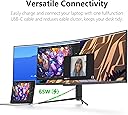
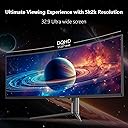
The INNOCN 49C1S is a premium 49-inch curved ultrawide monitor featuring a massive 5120x1440 QHD resolution and a blazing 240Hz refresh rate. Designed for esports and professional multitasking, it offers 99% sRGB color accuracy, HDR400 support, and Adaptive-Sync for smooth visuals. With versatile USB-C, DisplayPort, and HDMI connectivity, built-in speakers, and ergonomic adjustments, it’s engineered to maximize productivity and immersive gaming experiences.
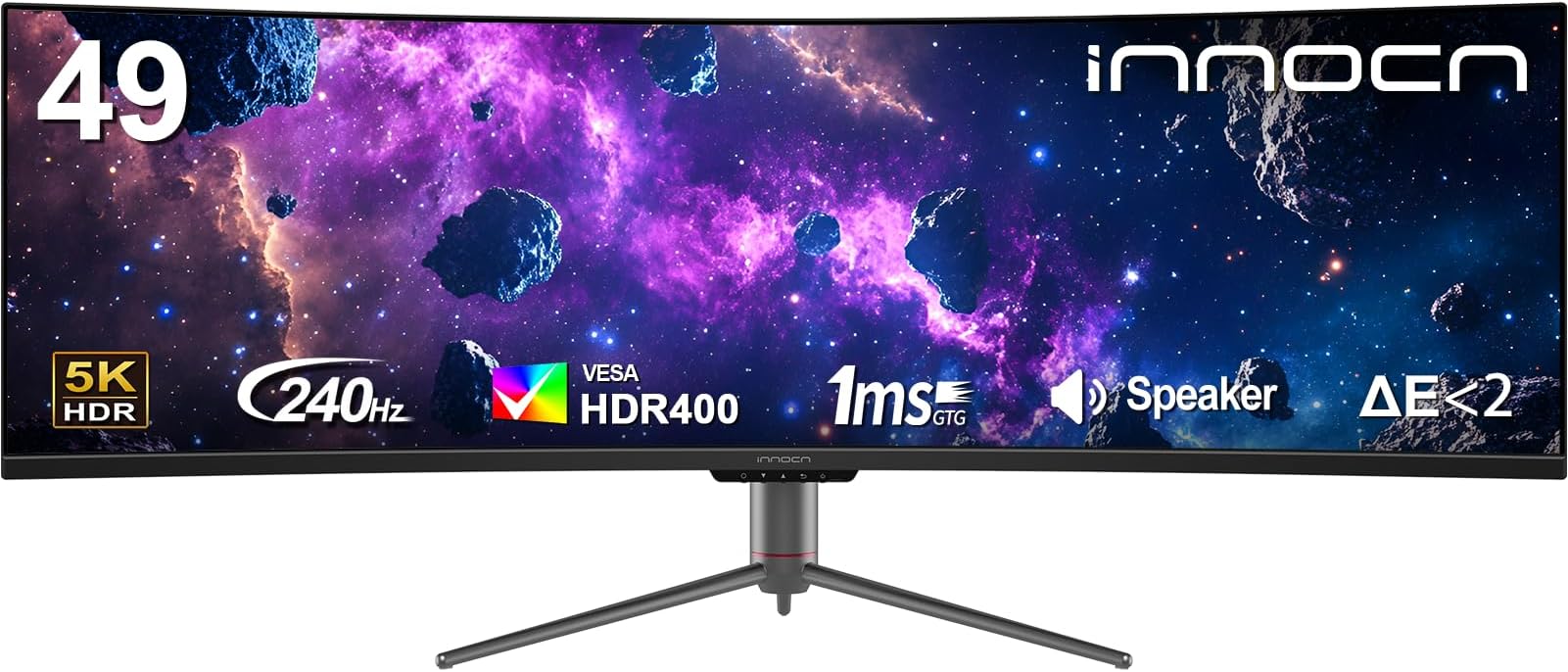

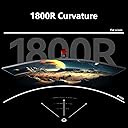

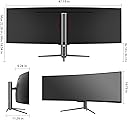


| ASIN | B0D1VHBPQT |
| Adaptive Sync | G-Sync Compatible |
| Additional Features | Built-In Speakers, Curved, Flicker-Free, Height Adjustment, Ultrawide Screen |
| Aspect Ratio | 32:9 |
| Best Sellers Rank | #4,082 in Electronics ( See Top 100 in Electronics ) #175 in Computer Monitors |
| Brand | INNOCN |
| Color | Black |
| Compatible Devices | Desktop, Gaming Console, Laptop, Speaker |
| Connectivity Technology | DisplayPort, HDMI, USB Type A, USB Type B, USB Type C |
| Contrast Ratio | 3000:1 |
| Customer Reviews | 4.3 out of 5 stars 1,272 Reviews |
| Display Resolution Maximum | 5120x1440 Pixels |
| Display Technology | LCD |
| Display Type | LCD |
| Hardware Connectivity | DisplayPort, HDMI, USB, USB Type C |
| Has Color Screen | Yes |
| Image Contrast Ratio | 3000:1 |
| Item Dimensions D x W x H | 6.28"D x 45.5"W x 14.57"H |
| Manufacturer | Guangxi Century Innovation Display Electronics Co.,Ltd |
| Model Name | 49C1S |
| Model Number | 49C1S |
| Mounting Type | Desk Mount |
| Native Resolution | 5120x1440 |
| Number of Component Outputs | 3 |
| Picture Quality Enhancement Technology | HDR, Adaptive-Sync, 99% sRGB |
| Refresh Rate | 240 Hz |
| Resolution | 5K QHD 1440p |
| Response Time | 1 Milliseconds |
| Screen Finish | Glossy |
| Screen Size | 49 Inches |
| Screen Surface Description | Glossy |
| Specific Uses For Product | Desktop, Entertainment, Gaming |
| Total Number of HDMI Ports | 2 |
| Total USB 3.0 Ports | 2 |
| Total Usb Ports | 3 |
| Warranty Description | 1 Year |
A**R
Best FPS monitor for cheap option 2025 end
I spent a lot of time searching for an affordable gaming monitor and finally chose this one. This monitor boasts an excellent 240Hz refresh rate and 2K resolution. Trust me, once you use it, you'll never go back; forget 1080p. There are some drawbacks, but they're acceptable. For example, the screen brightness isn't very high, but I live in a basement, so it doesn't bother me. The included stand isn't height-adjustable, but you can buy a stand mount for $30. Can you believe a monitor at this price has speakers? The sound quality is average, and the volume isn't loud, but for someone who eats while watching a monitor, this is definitely a plus; I don't want to wear headphones while eating. This is currently the cheapest monitor with the highest refresh rate you can buy. The monitor is very light, and the casing is cheap plastic, but that's not important to me. Remember, you're buying resolution and refresh rate; don't waste money on expensive packaging and LED lights. They don't help with gaming.
R**.
Worth the price
I'm using this for FPS games on PC , picture quality is spot on. Product quality is fine. for the price I definately recommend this monitor.
J**N
Almost perfect...
It's a big monitor. Heavy, so make sure you're if you're going VESA mount make sure it's able to handle it. Cons first: 1. Dialing in the controls via the nav nipple is tricky. True of a lot of monitors. 2. The power light is BRIGHT and you can't tape over it sadly. So I have just been turning the monitor off. 3. Something related to the monitor is producing some coil whine. I only noticed it when my spouse said something. It's very minor but worth knowing if you're hearing is that good. 4. Not sure if it came in like this or if I did it, but a minor, minor 'scuff/scratch' is on my screen. I run dark mode so I only notice it with non-dark mode things. Turning down the brightness helped. Not worth returning it over an 1/8" long soft scuff. Pros: I love it. Big enough for your uses. Clear screen. Near enough to OLED in some ways that unless you want those 'inky blacks', you can just get this. Plenty of ports. the hub is great. Dimming is pretty good for general use. I game on it with no issue, work with code and text. If you can get it closer to that 400 dollar mark for the 34" UW model, it's good for the money. Not so much near the 500 mark maybe cause then you're close enough to the current budget OLEDs.
V**S
Beautiful Picture - Difficult to Mount - Needs Fill Kit or Screws & Spacers - (20mm)
THE MONITOR I was skeptical but this is a great monitor - beautiful picture. I use my PC to do a bit of graphic design, video editing and gaming. And it looks great! Brightness is perfect for me. HDR looks nice and crisp. And the high refresh rate lets me know that I am getting the full frame rate and not just what the monitor caps out at -- on my old one it was 60hz, so every time I got to 60FPS, I always wondered how much higher it could be. Well -- wonder no more. HARD TO MOUNT Only ONE issue -- the way the stand connects to the monitor. The monitor has an inch-deep oddly-shaped hole in it. And you connect the stand into the monitor. That hole is shaped like a triangle on top of a square. Like a "house-drawing" shape. The hole is 1) too small for any mount plate & 2) too deep for the standard screws that come with most mounts and mount kits (either M4 0.7 x12mm (or x 35mm)) 12mm are too short, 35mm are too long. And the 35mm are even too long WITH spacers -- by a few millimeters. INNOCN needs to know that MOST people are going to mount their monitor nowadays - as most people have a dual monitor setup OR a small desk area. And either include some screws and spacers that will fit most modern mount kits OR provide a built in piece to fill the hole if you take removed the stand. So that the plate can be flush with the monitor when mounting. PLAN on having to go BUY screws for a tight fit ---> (M4 0.7 x 20mm). These were a perfect fit with the plate and the washer. But it still doesn't feel great that the plate is not flush with the back of the monitor and that it's essentially hanging on 4 screws. INNOCN -- Include a metal block to fill that hole to make the VESA area of the monitor FLAT for a mounting plate. In the picture below -- the long screws are screwed all the way in and the small screws are barely screwed in. To show you how both common mounting screws are not a good fit.
G**I
I Highly Recommend!!
The INNOCN 25G2H Plus is an impressive 24.5" monitor (1080p, 240Hz, 1ms). Out of the box, the color profile closely matches my iPad, which is amazing for consistency across my devices. I have no complaints and would highly recommend this monitor to anyone looking for a larger display for their iPad or laptop.
F**H
A lightweight champion
I am not a video connoisseur. I got this to replace an old 1080P with a better 1440P display. It was hard finding one that spec, good color rating, adaptive synch, 24", etc. and still be reasonably priced. I guess they had to skimp somewhere as this may be the lightest, cheapest feeling monitor I have ever handled. Something to consider if you need to move it around a lot. Me? I stuck it on its shelf and that is not a factor for me at all. The display is rich and sharp and no bad pixels after a few months. I haven't noticed any ghosting or other issues either. It does take several clicks to move between HDMI and DP but is comparable to other monitors. I am very satisfied with this purchase.
T**E
Excellent value at this price point
I have been thoroughly impressed with how well this monitor performs considering how (relatively) cheap it was. For this level of performance from most "well-known" brands, you'll be paying 2-3x as much. It certainly has a few quirks, but all of them can be overlooked considering the price. I spent a pretty penny upgrading my CPU and GPU this year, only to experience screen tearing on my 60fps monitor. Since there wasn't much room left in the budget, I settled for this "cheap-o" monitor and figured I'd upgrade in a few months if it was trash. As of right now, I will be keeping this monitor until it eventually fails. I'm actually considering getting another one so both displays are high refresh rate. Pros: * Excellent refresh rate (and adaptive sync) * Great color (especially if you play with the settings a little) * Needs limited setup (just a bit of menu time during first use and then never again for most users) * Dirt cheap compared to the same stats from other manufacturers Neutral: * Two red LED's on the front (great if your setup is red, but can be turned off otherwise) * The stand is not very tall or adjustable (about 3-4" off desk), but it's extremely solid construction and the monitor can be wall-mounted instead if you prefer. I personally have always used a riser so this doesn't bother me. * A few of the color mode presets (game, movie, FPS, RTS, etc) are pretty similar. Cons: * Menu navigation is hard to get used to. It's not intuitive at all, and it's easy to lose your place or select the wrong thing. You do get used to it over time, but changing from game mode to movie mode for example is not exactly quick. * If you select the wrong language during first startup (very easy to do), then it's quite annoying to figure out how to change it back to English. If this happens to you, language is the top/first setting under the "OSD" sub-menu. * There is a slight "second bezel" effect around the screen. By this I mean that the actual illuminated display area does not quite run from bezel-to-bezel. There is about a 4mm black border around the entire screen. Honestly I saw some reviews complain about this but I don't even notice it during use. Honestly in practice it just looks like the monitor has a slightly thicker bezel than it actually does. Overall, really cannot recommend this monitor enough for a budget gaming setup.
C**Z
Good budget monitor
The monitor is easy to set up and the screen looks decent. Its a great budget monitor. The high refresh rate is nice although I don’t have any experience with more expensive monitors to really compare. This monitor is great for gaming. The monitor size is pretty perfect for me! My only issue is that occasionally when the monitor goes to sleep and I try to wake it up by pressing a button or moving my mouse, the monitor won’t wake up. I have to turn it off and turn it back on. Also when I press the power button to turn it off when its asleep, I find myself having to press the power button multiple times before it finally turns off. Not sure if thats an issue with others or something is wrong with mine in particular. Its pretty annoying. Lol But overall the monitor looks good. The colors and resolution is not the best but it looks good enough for the average person. If you plan on doing video/photo editing or digital art I would invest in something better.
Trustpilot
2 weeks ago
1 month ago