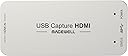
🎥 Capture Brilliance, Instantly Plugged In!
The Magewell USB Capture HDMI Gen 2 is a compact, professional-grade video capture device that supports up to 1080p60 HDMI input with advanced FPGA-based processing. Compatible with all major OS platforms via USB 3.1 Gen 1, it offers plug-and-play convenience, 24/7 durability, and customizable settings through a dedicated utility—perfect for content creators and pros who demand flawless, hassle-free video capture.


| ASIN | B00I16VQOY |
| AV Output | HDMI |
| Best Sellers Rank | #201 in Video Converters |
| Brand | Magewell |
| Built-In Media | Capture card, USB Cable |
| Compatible Devices | HDMI Devices, Personal Computer |
| Customer Reviews | 4.6 4.6 out of 5 stars (620) |
| Hardware Interface | HDMI, USB 3.0 Type A |
| Item Dimensions | 3.32 x 1.69 x 0.5 inches |
| Item Weight | 3.2 ounces |
| Manufacturer | Magewell |
| Mfr Part Number | 32060 |
| Minimum System Requirements | USB 3.1 interface, compatible operating system (Windows, Mac, Linux, or Chrome OS), and a system capable of handling HDMI signals with a maximum resolution of 2048x1080 pixels. |
| Model Name | USB Capture HDMI Gen 2 |
| Model Number | 32060 |
| Operating System | Chrome Os,Linux,Mac,Mac Os,Windows |
| Platform | Mac OS X, Windows |
| UPC | 796594620815 813493080301 699956392156 |
| Unit Count | 1 Count |
| Video Capture Resolution | 1080p |
| Warranty Description | 3 Year Manufacturer |
J**S
Super-flexible device with excellent support
So far, seems to be an awesome little capture device. It's pretty pricey compared to other options, but I also think it is worth it, considering the high quality and adjustment capabilities of the device. I only wish that I had a free PCI-E slot to use the PCI-E Pro Capture version instead (which also includes analog inputs, for the same price) -- might be a better option if you have the space for a PCI-E 1x device, and also need to capture analog signals: Magewell Pro Capture HDMI Video Capture Card Magewell's website has the full specs for this device, and also a link to download the accompanying utility for Windows/Mac/Linux to adjust all of the various device parameters, audio levels, etc: http://www.magewell.com/usb-capture-hdmi (click the 'Utility' link at the top of the page to download for your platform) - Uses the USB UVC protocol-- this means the device is plug-and-play, and acts like a webcam under most software; on Windows, it can be used a DirectShow source, and shows up as a /dev/videoX V4L2 device on Linux. Brightness, contrast, and resolution can also be adjusted via the UVC protocol without using the accompanying Magewell utility - Supports up/down-scaling, aspect ratio, crop, deinterlacing, desaturation, and color space conversion (RGB, YUV BT 601/709/2020) in hardware - Will capture in YUY2 (default), UYVY, RGB24, or RGB32 formats - Supports a max resolution of 2048x2160 for capture (max input of 2048x2228) up to 60 fps (up to 75 fps w/ YUY2 format at 1080p, up to 120 fps at lower resolutions) - Supports custom and arbitrary video resolutions and framerates - Captures PCM audio, and the input level can be adjusted (from +6 dB to -80 dB or muted) - Can load/save custom EDID profiles to emulate certain devices. EDID information is used to tell the source device what formats are supported by the sink (in this case, the capture device) - Can use multiple devices on a single machine. To do this, you'll need to open up the Magewell utility, click the Advanced tab, then set Device Name to "Serial number" - By default, the device will show a test pattern with "NO SIGNAL" text. This might not be desirable. In this case, use the Magewell utility to change the "Status image" from 'Default' to 'Black' (under the Advanced tab) I have included a couple screenshots from the Magewell utility (under Linux, but the capabilities are the same under Mac/Windows)
M**M
ALIEN-TECHNOLOGY Build for SPACECRAFTS
Hey guys, after a long period with a lot of hassle based on incompatible USB chipsets with Black Magic capture devices I found my new personal holy grail of capture hardware. Here I want to share my experiences with this really cool piece of hardware with you. The manufacture Magewell promises a truly plug and play device. They don't lie! Just connect it via USB to your computer and you are ready to capture. This device don't need any drivers because it works with DirectShow like any webcam does. This capture dongle automatically detects the resolution and framerate of the incoming HDMI Signal and scales it internally to the resolution and framerate you need. I'm using the Resolume VJ Software with the XI100 to bring a live video feed to the audience. Here are some tests I did: Question: What happens with the dongle when you change the input resolution while it playbacks in Resolume? Answer: short black and back to signal! Wuuuaht? Very nice! Question: What happens with the dongle if you pull out the HDMI Cable and re-plug it while it playbacks in Resolume? Answer: black for the period of the disconnected HDMI Cable. After plugging back in the HDMI cable you almost instantly get your signal back. wonderful! Question: What happens if you pull out the USB Cable out of your computer and replug it? Answer: Resolume shows the last frame of the caturestream and does not continues capturing. Hmm. Ok - seriously - that was a hard one...but...just delete the capture clip inside the Resolume clipdeck and drag'n'drop the device inside the clipdeck again. voilá. You don't need to restart Resolume. What shall I say? - This device is so handy and easy to use and sooo compatible. ALIEN-TECHNOLOGY Build for SPACECRAFTS :D ...ehm...sorry...you know what I mean! If you really need a handy and stable capture device ..... TAKE THIS ONE! Best regards M.
D**X
Quality product and priced that way
The nicest thing about this product is that it just works without any fiddling or fussing. You plug your camera HDMI in and the USB cable out and you have a very high quality webcam. With decent lighting, your Zooms/Hangouts/Skypes look like you are a model in a studio. With more and more business being done by video, this is like dressing for success. All the video conferencing software and OBS recognize your camera flawlessly. The one drawback as others have mentioned is that the metal case heats up in a way that tells you this this little jewel draws some serious USB power. It would be nice if it came with an on/off switch for this price. I am looking into a usb switch or extension as the disconnect point, because you definitely don’t want to leave this plugged in when not in use (especially to a constantly powered USB port), and wearing out the USB connector on an expensive device is not a good idea.
G**Z
Funcionó como debería de ser.
P**5
今まで数ヶ月使用して、なんのストレスも感じたことがない。値段の価値ありです。
R**N
Expensive or what? More than my video camera but it does the trick of turning Full HD HDMI signals into 1080p USB3.0 webcam signals that can then be used with, say, OBS. Unfortunately I discovered that ManyCam could not handle the data volume so thank goodness OBS can. No frames are lost and it handles audio too but I use a separate USB mic so that aspect is not important to me. It does get HOT in use so do NOT leave it plugged in except when using it - see my Amazon review of the USB ON/OFF SWITCH FOR USB 3.0 & 2.0 // HmbG - 1401 for an easy way of switching it off without constantly unplugging it from the USB socket. As this is the ONLY device guaranteed to make an HDMI signal look as though it's coming from a webcam (and can therefore be used in Skype, for example) I guess they can name their own price. And they did. But it is THE answer for me so I just swallow hard at the price tag and now use it several times a week.
B**Y
Works as intended & have had no issues since purchasing this for live streaming from my Canon video camera. very happy with this purchase.
V**T
Dopo aver provato senza successo un ripersaw che ho reso, con questa scheda ha riconosciuto immediatamente la mia dslr e la videocamera, perfetto l’uso con Obs, ottimo il software ed installazione immediata. Inutile perdere tempo con altre soluzioni. Costa di più, vale di più.
Trustpilot
1 week ago
1 month ago