Buy anything from 5,000+ international stores. One checkout price. No surprise fees. Join 2M+ shoppers on Desertcart.
Desertcart purchases this item on your behalf and handles shipping, customs, and support to Cook Islands.
⚡ Own the fastest, smartest WiFi experience — because buffering is so last decade!
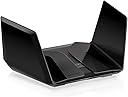
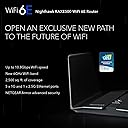
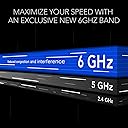
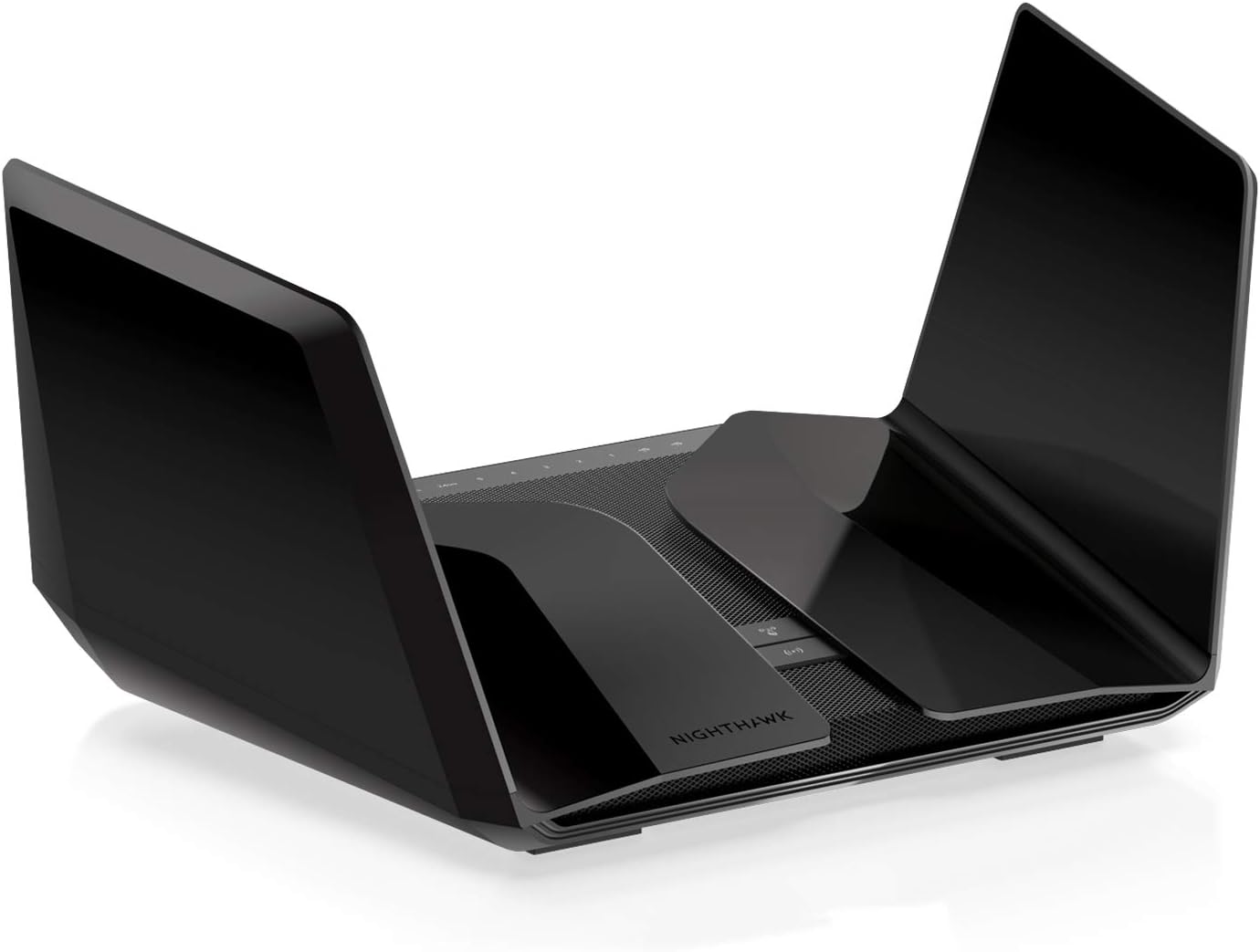
The NETGEAR Nighthawk RAXE500 is a cutting-edge WiFi 6E tri-band router delivering up to 10.8 Gbps speeds and expansive 2,500 sq. ft. coverage. Featuring a dedicated 6 GHz band for congestion-free connectivity, it supports the latest WPA3 security protocols and includes advanced cybersecurity powered by Bitdefender. With a powerful 1.8 GHz quad-core processor, multiple Ethernet ports, and easy setup via the Nighthawk app, it’s designed for demanding homes and professionals seeking ultra-fast, reliable, and secure wireless networking.


| ASIN | B09MSGH6GT |
| Antenna Location | Gaming |
| Antenna Type | Internal |
| Best Sellers Rank | 18,420 in Computers & Accessories ( See Top 100 in Computers & Accessories ) 160 in Routers |
| Box Contents | installation guide, router |
| Brand | NETGEAR |
| Brand Name | NETGEAR |
| Colour | Black |
| Compatible Devices | Laptop, Personal Computer, Smart Television, Tablet |
| Compatible devices | Laptop, Personal Computer, Smart Television, Tablet |
| Connectivity Protocol | Wi-Fi |
| Connectivity Range | 2500 Square Feet |
| Connectivity Technology | Wi-Fi |
| Control Method | Voice |
| Controller Type | Push Button |
| Country of Origin | Vietnam |
| Coverage | up to 230 m² |
| Customer Reviews | 3.7 out of 5 stars 81 Reviews |
| Data Transfer Rate | 1 Gigabits Per Second |
| Frequency | 6 GHz |
| Frequency Band Class | Tri-Band |
| Frequency band class | Tri-Band |
| Has Internet Connectivity | Yes |
| Has Security Updates | Yes |
| Is Modem Compatible | No |
| Item Dimensions L x W x H | 50L x 50W x 28H centimetres |
| Item Weight | 2 Kilograms |
| LAN Port Bandwidth | ['1000000000', '2500000000'] bps |
| Manufacturer | NETGEAR |
| Manufacturer Part Number | RAXE500-100EUS |
| Maximum Upstream Data Transfer Rate | 1000 Megabits Per Second |
| Model Name | RAXE500 |
| Model Number | RAXE500-100EUS |
| Model name | RAXE500 |
| Number of Antennas | 2 |
| Number of Ports | 6 |
| Operating System | [Proprietary Netgear Firmware] |
| Other Special Features of the Product | Gaming, VPN |
| Router Firewall Security Level | tall |
| Router Network Type | Wireless |
| Security Protocol | WPA2-PSK, WPA3, WPA2 OR WPA3 |
| Special feature | Gaming, VPN |
| UPC | 606449155594 |
| Unit Count | 1.0 count |
| Voltage | 230 Volts (AC) |
| Wi-Fi Generation | WiFi 6E |
| Wireless Compability | 802.11ax |
| Wireless communication standard | 802.11ax |
U**N
Great Router
There are a few older reviews that say the router is rubbish and always drops out. I am not a gamer, so cannot say if I experienced the same. I bought the router to replace my Plus Net Hub Two. People are correct when saying the Nighthawk App is crap. I can only agree with them on that, and was absolutely no use with installation of FTTP with the router plugged directly in the ONT. It would never find the connection. Nevermind, I used Firefox to browse to it on 192.168.1.1 with admin and no password. After getting me to add a password, it saved and continues through the wizard to connect. It asked me for a username which was [your username]@plusdsl.net and I was connected. (Plus Net not BT) I backed up the settings quickly the went into advanced LAN to setup a 10 range IP (I will never use 192.*.*.*), saved the settings and rebooted the rooter. Back in the web interface (Firefox to the 10.*.*.*) IP I gave the router, turned on Access Control and began reserving MAC addresses on the Advanced | LAN tab for the computer, TV, sat box, Nintendo etc. but when it came to a IP security camera, I needed to unstall the cam app first, connect to the wifi before allowing the MAC access as Access Settings are on and Block isnt the default setting, but I had already set it to block. Anyway, I wanted to connect to the 5GHz wifi but found out the camera only allows 2.4GHz but also WPA2 rather than WPA3. So, before purchasing the router check if IP cameras support the router security features. The standard password I was given for 2.4, 5 and 6 GHz was a lowercase one and 16 characters in length. Make sure, you change that. Guest networks show the SSID as default but are disabled. I've hidden my SSID's on all networks for added security, have different complex passwords for each of them for added protection. Saved config and rebooted. Connected again in the web interface to the 10.*.*.* range to setup port forwarding for my own hosted website, email server and backup device. I dont use HTTP (port 80) or insecure ports lile POP3. Checked access to 443 (HTTPS), email using 465/587 and once happy and that my IP cameras were FTPS to the backup device, and all was ok. I saved my config and all was done for me, at that point. -- After getting Internet access, I installed the latest firmware. I could have done at anytime. This is where reading the netgear forums were great. By default the router logs you out every 5 mins and to fix this, install the latest firmware, do a factory reset, use the backup file you should have created once happy with your setup to restore your configuration, reboot and do a few final things like clear the logs (I have removed the option to show connecting to a site etc, but if you have kids, you may want this kept on. Do not respond to ping (hackers try to ping your router to see if they can hack it), no response tells them nothing. Dont disable port scans etc (BT/Plus Net Hub Two allows them through) so dont help the hacker. -- This router comes with a 30-day version of Netgear Armor (American English) which needs to be activated by the Nighthawk app. This is where I had more issues. Using the app still tried to install the router, wifi etc but eventually you get to a screen on squares with security, parental controls etc. Clicking the Security box took about 2 mins and errors it cannot begin the 30-day protection. You will need to uninstall the app, restart the phone, re-install the Nighthawk app on your phone, connect to the router and click the security square once again and if all goes well, you will have your trial. At this stage, you can get a link to install Bitdefender for your phone. Login and the link you clicked to install it will connect you up to the 30-days on the router. I went one further and paid for a years subscription. Those 30 days then get added onto the year and because it was an opening charge, it was 70% off so I paid £25 for the year. Is that a lot? No, now send your hubby/wife, significant other, kids the link to install on their devices too. Nothing more to pay to protect the families devices. You can also download the VPN app but that only allows 200mb of free data per day on each account. Good enough if you go to the shops for a pint if milk. DO NOT purchase a VPN Premium subscription as the app doesnt integrate into the Nighthawk system and Cloudflare have blocked many of the IPs, so paying for nothing. I am very happy with my Netgear RAXE500 with wifi strength and speed. I am more secure than with the Plus Net router too. You can connect more devices, have more than the 4 flooded channels the Hub Two uses (slow/poor wifi). One thing I never got in the box are screws to put it on the wall but I can use the ones from the previous netgear device. If you have a Samsung device, you can connect to Wifi 6E but if you use an iPhone forget that and use 5GHz. Default Wifi Names: NETGEAR50 is 2.4GHz NETGEAR50-50 is the 5GHz NETGEAR50-60 is the 6E
M**R
AVOID
Worked fine for a year, was quite happy with it until everything went wrong - wired and wireless connection drops constantly making it unusable and meaning I have to switch to my bargain basement ISP router to get a stable connection. I have spent more than 6 hours on the phone to Netgear fiddling with advanced settings and capturing debug logs to no avail. They refuse to replace the faulty unit despite the insane cost. Never buying Netgear again.
C**N
Powerful Sleek Device
I am no expert when it comes to routers but this device was easy to set up and easy to manage. Very strong WiFi signal and good radius. Part of a hardwired multi access point system means I can monitor and manage all connected devices from the nighthawk app. Good solid piece of equipment from netgear
D**N
Had this nearly 2 years. 6ghz glitchy.
Excellent router, purchased when we had Gigabit broadband installed. I always get maximum speeds over the wifi and I have a lot of devices in the house. One thing I have noticed is the 6ghz band seems somewhat slower than the 5ghz band. This is on a 6E supported device, in the same room as the router. I only have a gaming laptop and Samsung phone equipped with 6ghz wifi and I have noticed they both seem sluggish on the Internet when using 6ghz compared to the 5ghz when in the same room. Hence the 4 star review. I think once I come to replace this maybe in a year or so 6ghz won't be in its infancy which I think this is why it seems to be slower on this router. Even using 5ghz on most of my devices speedests are always great!!
J**N
Finally WiFi problems solved
Due to having quite a busy WiFi network due to smart home appliances etc i started suffering issues with my standard service provider router. My first though was trying a Mesh system. The first one i tried was a total failure and very unreliable. I then upgrade to a second more premium solution. However suffered issues with this, even after following all the trouble shooting. I constantly had devices connecting to a weak signaled far away node rather than the one 3ft away and then dropping off the network. Annoying at the best of times, Extra annoying at 2am when your lights don't turn on! The Netgear was my "last hope" and thus far has proven solid as a rock. Unlike with my previous struggles everything stays connected all the time and the signal strength is excellent and while not the cheapest router in the world was still cheaper than my last attempt with a Mesh.
J**K
Looks AMAZING, but long distance performance was lacking
Firstly this unit looks amazing!!, Like something Darth Vader would be see riding in. I recently upgraded to 1GB Fiber broadband and wanted a router that could do it justice. I currently use Amazons EERO 6 PRO Mesh WIFI system, utilizing 2 units to cover my whole house. With a wife working from home, and 4 kids constantly online I thought this system would giveme better speeds all round. My current set up gives WIFI 6 speeds of around 900 mbps when stood around 1M from the router, this diminishes to around 280mbps when at the other side of the house (single storey bungalow), utilizing a second EERO router around half way to MESH the signal. With a claimed range of 3500sq ft I thought this unit would be able to replace my current set up and enable faster speeds....long story short....it didn't :( Setup was really easy, download the app scan the QR code, update your SSID and password and the system does the rest. Initial speed test should a DL speed of 980mbps, again when stood around 1M form the router, but as I got further away to the other side of the house(where my living room is) this quickly diminished to around 8 mbps.....even when switching between the 2.4/5 and 6g modes the result was the same. I tried utilizinf some devolo 1200+ powerline adapters I had from a previous setup to see if they could boost the signal, and they did....but only to 82 mbps. For this reason alone I have returned the unit, as its providing worse performance than my current MESH setup. However, if you could centrally locate this device, or are using it hardwired, then the wealth of features and aesthetics alone are worth the hefty price tag. Please note, that some features such as parental controls, armour shield etc require a paid upgrade, features which are standard on other devices. If you have a smaller property, or can hardwire or centrally locate the device then I would recommend this unit....but if like me most of your devices are on the opposite side of the property to where your router has to be located, or you have many walls then I would steer clear and go down a MESH wifi router route.
0**7
Worth the upgrade to enjoy the benefits of fibre
Despite having full fibre (almost gigabit) service at home we still had issues with relatively poor download speeds and insufficient coverage with our existing WiFi router supplied by our service provider. After running out of options we replaced the existing WiFi router with the Netgear Nighthawk 11000. Apart from being told by our service provider that we still have to use the existing WiFi router as access point, installation was quickly taken care by the engineer (I opted for this service,). We are now enjoying the benefits of proper download speeds and coverage. The unit has a quality feel and looks the part - even the name- nighthawk- is cool!
A**R
Overall Crap
It can be fast but that’s the only good thing. The software is totally crap and slow. Frequent drop outs and loss of connectivity are a pain. The app is useless. Has since May 2022 but going back to Asus as that actually caused me no problems. Totally fed up with this now.
J**E
Rapide et facile
Routeur très efficace
H**S
Un monstre de puissance
Quelle plaisir de retrouver mes caméra de surveillance extérieur avec un signal puissant ! Même pas besoin de rentrer dans un lan pour le paramétrer en ap wlan puis configurer en ap grâce à une interface très facile ou avancée que du bonheur bref on a pour ce qu’on paye 😉
K**N
Hassle free set up.
Pleasing to look at the Neatgear RAXE500 has loads of power and features. Easy to set up and coupled to all my wireless accessories without a problem. These include Nest hubs and speakers as well as home security and wireless cameras. Coupled with a Netgear Nighthawk extender which we have had for quite a few years now to get a little better signal further out for the wireless cameras it operates seemlessly for those that work from home like I do and must have the most reliable set as possible. Very pleased so far.
F**3
Nighthawk al suo top
Premetto che provengo da un'ottima esperienza dal R-8000P, il RAXE500 fissa nuovi traguardi in termini di stabilità della connessione, sicurezza con Armor, lag assente, e velocità col WiFi 6E che mi hanno lasciato di stucco (oltre i 50MB/s a casa mia). Inoltre la possibilità di gestire comodamente ben 40 dispositivi IOT connessi, senza mai avere disconnessioni, fanno di questo router un must per chi vuole fare una rete seria, stabile, veloce e sicura a casa propria. 5 stelle, ma anche 6 ...e attendo il prossimo salto nell'iperspazio delle reti WiFi
J**O
Netgear AXE RAEX500
Funciona muy bien
Trustpilot
2 weeks ago
2 weeks ago