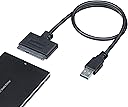
🚀 Upgrade your storage game with lightning-fast, hassle-free SATA to USB power!
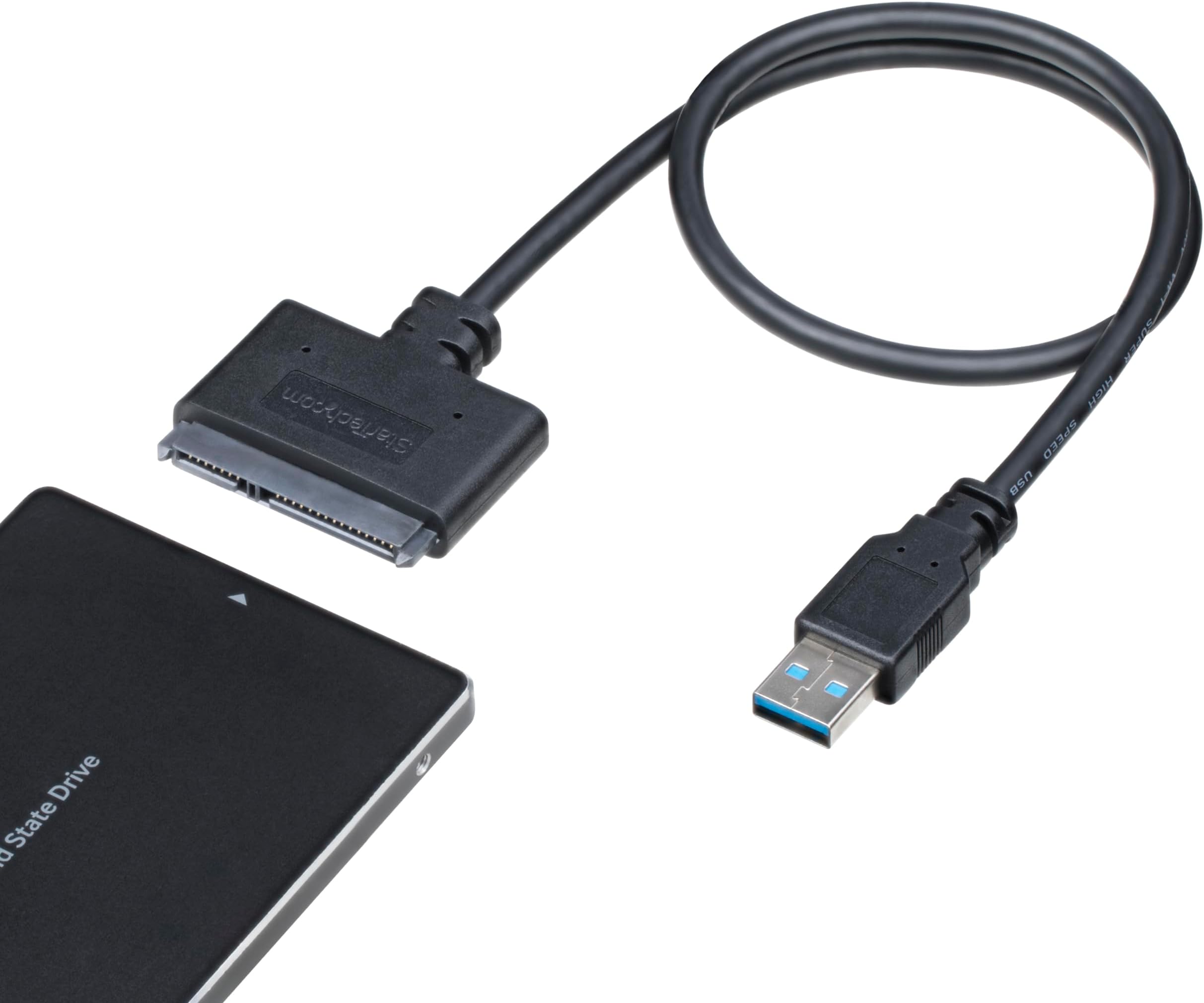
The StarTech SATA to USB Adapter is a sleek, bus-powered cable that connects 2.5" SATA III SSDs or HDDs to USB-A ports, delivering up to 5Gbps transfer speeds enhanced by UASP technology. Compatible across Windows, Mac, Linux, and ChromeOS, it offers plug-and-play convenience without external power or drivers. Ideal for professionals needing quick backups, data recovery, or drive cloning on the go, it combines portability with robust tech support and a 2-year warranty.


| AC Adapter Current | 1.5 Amps |
| ASIN | B00HJZJI84 |
| Batteries | 1 Nonstandard Battery batteries required. |
| Best Sellers Rank | #4 in SATA Cables |
| Brand | StarTech.com |
| Cable Type | USB |
| Color | Black |
| Compatible Devices | Laptop, Personal Computer |
| Compatible Phone Models | No Compatible Phone Models |
| Connector Gender | Male-to-Female |
| Connector Type | Sata/Usb |
| Customer Package Type | Standard Packaging |
| Customer Reviews | 4.6 4.6 out of 5 stars (34,106) |
| Data Transfer Rate | 5 Gigabits Per Second |
| Date First Available | December 27, 2013 |
| Frequency | 60 GHz |
| Global Trade Identification Number | 00065030854696 |
| Hard Drive | Portable |
| Hardware Platform | OS Independent |
| Indoor/Outdoor Usage | Indoor, Outdoor |
| Is Discontinued By Manufacturer | No |
| Item Dimensions LxWxH | 19.7 x 1.9 x 0.4 inches |
| Item Weight | 1.44 ounces |
| Item model number | USB3S2SAT3CB |
| Manufacturer | StarTech.com |
| Maximum Voltage | 5 Volts |
| Model Name | USB3S2SAT3CB |
| Number of Items | 1 |
| Number of Pins | 7 |
| Number of USB 3.0 Ports | 3 |
| Outer Material | Plastic |
| Product Dimensions | 19.7 x 1.9 x 0.4 inches |
| Recommended Uses For Product | Peripheral Connection |
| Shape | Flat |
| Special Feature | Data Transfer, Driverless, Universal Compatibility: Windows, MacOS, Linux, ChromeOS, Hot-swap, Plug and Play, UASP Support |
| Specification Met | No |
| Standing screen display size | 2.5 Inches |
| UPC | 006503085469 065030854696 |
| Unit Count | 1.0 Count |
| Wattage | 7.5 watts |
| Wireless Type | Radio Frequency |
F**D
Good quality. Works well.
Worked great for me. No issues, no complaints. I got this to clone the old HDD drive in an almost 10-year-old laptop to a newer, much faster SSD. Super easy to use; my first time doing the whole drive cloning thing so I was a little nervous but the whole process went very well. I ended up using the old HDD as an external drive and storage device, running it straight off this cable for a few weeks until I got around to buying an enclosure that came with a cord of its own. Great item. Price is right. Works well. Recommended.
A**B
Worked great, exceptional tech support, check your SSD's software and system bios settings
As the headline suggests, the cable is fine, check elsewhere if you run into an issue. And please, folks, this connects to a single USB port. USB power is limited to 500mA (USB 2.0) and 900mA (USB 3.0). You can't power a 3.5" HDD or an older 2.5" HDD with this cable, it's not the cable it is your computer's USB port. I've purchased several Startech products over the past several years. I like the quality and no-nonsense presentation. This cable has the added benefit over an older USB-SATA cable setup I had, in that it has 2 little led's to indicate data access (like on your computer). I bought this cable at the same time I purchased a new Samsung 500Gb 860 EVO SSD. I've done the laptop HDD to SSD clone process 6+ times. In the past, I've used a different USB-SATA cable and Samsung SSD's without a hitch. I like the the Samsung's because they're good and the cloning software is rock solid and a no brainer. When I hooked things up and used the latest version of Samsung's software, I had an issue with the software not recognizing the new SSD. Hmm, bad cable? bad SSD? I tried a different older SSD I had pulled from an earlier laptop upgrade and I could see it no problem in Win 10 explorer. Still nothing with the new SSD. So in one of the reviews of this product I saw the Startech tech support phone line. Lo and behold it (the number) worked and I was talking to an actual human tech support person in less than 3 minutes. Folks this is an $11 cable, I am impressed with this level of tech support. The tech person suggested I try to format it with drive manager in windows, which I did, while he was on the phone no less, and yes, I could format it and I could then see it in file manager and read/write files to the new SSD, so it is really, really unlikely to be the cable or a dud SSD, that leaves the Samsung software. This one phone call was really helpful and saved me from sending back the cable and the SSD as it would have been difficult to tell which was the culprit (neither in this case). I then did the old Google search and found the Samsung Magician software has a reputation for not seeing some of the newer versions of their SSDs. Further reading suggested that their Data Migration tool (which you use for cloning) didn't have the problem. After downloading the Data Migration software, I was able to see the new Samsung SSD and do the cloning. I really can't stress how big a time saver the support I got from Startech was. It wasn't their knowledge of Samsung's issues, but at least how to get to that point where I could establish it wasn't the SSD or cable that was the issue. Kudos to Startech and their tech support! One issue that was mentioned in the various support posts on the Samsung site (but I suspect is relevant to other newer SSDs), is you may want to check your bios setting for the HDD controller (SATA), mine was set to RAID, but the preferred is AHCI. I can't say whether this was part of the issue or not, but something to keep in mind. Hardware/software Dell Precision M4500 (circa 2011) i7 chipset Win 7 PRO, 64 bit -> cloning to Samsung 500 Gb 860 EVO SSD using Samsung Data Migration software (not Samsung Magician)
B**Y
ITs a tight fit
Got it in today and used it to see if I could save some files fro ma dead laptop from 08 and it worked jsut fine no issues I have seen people say it does not work on Windows very well tbh I would not know I use Linux Mint Debian edition (LMDE) So on linux at least it works good tried it on 2 drives first worked no issues the other not so much but to be fair the second came from a different laptop that had water damage so that could be why the hdd could have been buggered but I was able to sue it with no issues on the firs drive and then a follow up sata ssd so I think its worh getting at least if you have linux like me if not I cant say one way or the other but it did work for me .
D**R
Great addition to a computer maintenance toolset. Recommended
My parents experienced a hardware failure with their old PC, so I decided to get them an Intel NUC (the one that only has M.2 storage). Usually I'd just hook up the old HD/SSD to a spare SATA port and transfer the data, but that wasn't going to be an option this time. I found an old 2.5/3.5" HDD dock, but it was only USB 2.0. A quick search yielded this item, supporting USB 3.0 AND available Prime 1-day! Packaging/Appearance There isn't much to the item, as it's only a cable... USB-A on one end, and SATA+SATA power on the other. It resembles a SAS connection, but it's not quite the same. The build quality seems adequate, and there didn't appear to be any fit or finish issues. Installation/Use There isn't a lot that can go wrong with a product like this... it either works, or it doesn't. As long as you stay under the current limits of a USB 3.x port (assuming you have it hooked up to a USB 3.x port), you should be fine. Please note that the device itself takes some power, so you'll want to factor that in. Generally speaking, you're fine for all SSDs, and all but a few edge case 2.5" magnetic HDDs. While this type of thing isn't meant to be used as a full-time storage interface, it performs ok. Ultimately you're limited by the USB interface - while the bus bandwidth is technically greater than 6Gbit/s SATA, you will find that the performance is significantly lower. I ran some ATTO benches to check SATA vs. USB->SATA, and it bore this out. Regardless, it's still fast... in my case, I was able to transfer about 240GB to the new PC in about 5 minutes. Large numbers of small files are a weak spot. I've used this without issue in Windows 10, Server 2016, and Linux. Depending on your BIOS you can even boot from it (though I'm not sure why you'd want to do that). Conclusion I regard a device like this as cheap insurance, since you never know when you'll need to recover some data. I would think that a normal use case might be transferring data from a laptop HDD to another laptop. I definitely think anyone who's considering this item should get one.
W**I
Funciona perfeitamente
T**N
Prima kabel voor het extern aansluiten van SSD drives. Werkt prima.
舘**敦
同じ様なSATA USB 3.0のやっすい変換ケーブルを買って使った所一か月持たずSSDを認識しなくなったのでこちらを購入し三か月ほど使っていますが特に問題なく使えているので助かっています。 やはり安い物は安いなりの理由があるんですね・・・
A**N
Good quality and as described.
W**A
Ayant acheté avant ce câble StarTech une panoplie de câbles venant d'Aliexpress à, certes, beaucoup moins cher, je peux dire qu'y mettre une certaine somme en plus n'est pas juste symbolique : le saut est remarquable, immense. Ca change tout. Pour le contexte, j'ai utilisé ce câble pour brancher un ssd bootable sur RasPi. Le gainage de ce câble très robuste, sa section de câble épaisse, sa puce ASM1153E supportant VRAIMENT l'UASP et le TRIM (c'est-à-dire qu'en lourde charge, l'UASP ne va pas décrocher, aucune perte de tension, et le TRIM sauve votre disque sur la durée), vous en aurez pour votre argent. Mon RasPi et son OS crashaient régulièrement avec les câbles chinois, ici aucun problème. L'USB 3.0 est réel (40 MB/s Ali vs 250 MB/s StarTech), pas de mise en veille automatique de la puce car elle chauffe beaucoup moins, ... bref, foncez.
Trustpilot
4 days ago
2 months ago